
Part of our job at STMNT is making sure shoots run well.
That means not just showing up with the right gear and crew, but making sure everyone in the room has what they need to do their best work. We prep. We communicate. We try to think ten steps ahead.
But with a lot of teams involved in a single shoot, there’s always one area where wires get crossed: the teleprompter script.
Here’s the scenario. The marketing team writes a script for their CEO or subject matter expert. They’ve been working on it for weeks, and it’s solid. They sent it to us the night before the shoot as a Google Doc, marked final and approved. They also sent it to the speaker that same night.
The speaker reads it, realizes there are a few things that aren’t quite right factually or don’t sound the way they actually talk, and quietly makes edits. After all, they’re the subject matter expert, and the script needs to be accurate. Totally reasonable.
This is where things begin to unravel, because that update doesn’t make it to the production crew. The speaker assumes the Google Doc is live and connected directly to the teleprompter. The marketing team assumes the production crew saw the updates in real time. But the production crew had already exported the document and loaded it into the teleprompter in preparation for the shoot before the speaker arrived on set. Each team is working from a different version of the same document, and nobody knows it yet.
So the crew sets up. The speaker gets mic’d. The camera rolls. And thirty seconds in, they stop and say: “Hold on. My script isn’t in here. I made changes this morning.”
Now the shoot is paused. The production team needs to loop in the marketing team, get real-time sign-off from whoever has approval authority on the revisions, export the updated Google Doc to a .txt file, fix the formatting, and reload it onto the teleprompter. That process takes anywhere from 10 minutes to two hours collectively, depending on how many stakeholders need to be in the loop.
The time cost is real, and so is the budget risk if it tips into overtime. But another real concern is setting every speaker up to do their best work on camera.
Often, the people we film in interviews don’t have experience being on-camera. They’re executives, founders, product leads, and technical experts. They may already be nervous. A film crew is a lot of people staring at you while you try to sound natural and confident. That’s a hard position to be in even when everything goes smoothly. When there’s a scramble mid-take, it can rattle people’s confidence in a way that doesn’t always recover.
We want speakers walking on set feeling prepared, and leaving set feeling confident and proud of how they portrayed themselves on camera.
The fix is not complicated. It’s one clear communication step and a file format that keeps everyone working from the same version. Here’s what makes it work.
Why formatting affects more than you think
Teleprompter software doesn’t read Google Docs. It reads plain text files. When a script comes in as a Word doc or a Google Doc, something always breaks in the conversion. Paragraph spacing collapses. Bullet points turn into symbols. The outline structure then looks chaotic. The visual structure that made sense on your screen becomes noise on the prompter display.
The speaker loses their place. The shoot stops. The momentum breaks.
On a well-run shoot day, your script format is one less thing to worry about. Here’s what we recommend.
Once the script is approved, convert it to a plain text file (.txt)
No formatted Word docs or Google Docs. A .txt file, please!
Plain text removes every formatting dependency. The teleprompter operator gets clean, predictable text that displays consistently across any software, on any device.
*Note: see the markers for emphasis and cues below. Apply those while copywriting in Google Docs, before exporting to .txt, so the team isn’t doing extra work after the fact.
You can write and collaborate in Google Docs all you want. Just export to .txt when the script is locked. That .txt export is the version that comes to us.
A few Google Docs habits keep that export clean: Skip the built-in bullet and numbered list buttons, tables, and the tab key. They add hidden indents and characters that show up as stray symbols or big gaps on the prompter. If you need a list, type an asterisk and a space at the start of the line, and keep everything left-aligned. For emphasis, use CAPS instead of bold, italics, or underline, since none of those survive the .txt export.
And when it’s locked, it’s locked. If the speaker needs changes after that point, the process is: notify the production team, get approval from whoever needs to sign off, then re-export a clean .txt. That loop keeps all the teams aligned and avoids the version mismatch that tends to surface right when the camera rolls.
Keep lines short
Aim for 10 to 15 words per line. That’s about 3 to 5 seconds of speaking time.
When lines are too long, speakers rush. They try to get through the whole sentence before it scrolls and the delivery ends up feeling frantic. Short lines let people breathe. They can look up, hold eye contact with the lens, and actually sound like they’re talking instead of reading.
Keep the script single-spaced. Don't double-space the document or add a blank line after every line. Extra empty lines become dead scroll space on the prompter and throw off the speaker's pacing. The one exception is a single blank line between sections or when the topic shifts. That gap works as a visual pause. It tells the speaker to slow down and let the point land before moving on.
Use simple markers for emphasis and cues
Since plain text doesn’t support bold or italics, we use a few conventions the whole team can understand at a glance:
• CAPS for words you want to stress. “This is EXACTLY how we do it.” Simple, unambiguous, works every time.
• [BRACKETS] for stage directions, gestures, camera cues, or anything the speaker should not read aloud. [smile] [look to camera] [SCENE CHANGE] and so on.
• -- PAUSE -- or ... for intentional pauses. A well-placed pause is often where the edit happens. Build them in deliberately.
A few more markers worth knowing:
(((STARTS))) -- first line the teleprompter displays
(((ENDS))) -- last line; everything after this is ignored
[Gestures] -- brackets for physical cues, e.g. [hand wave]
* or bullet -- marks a new paragraph or list item
What a properly formatted teleprompter script looks like
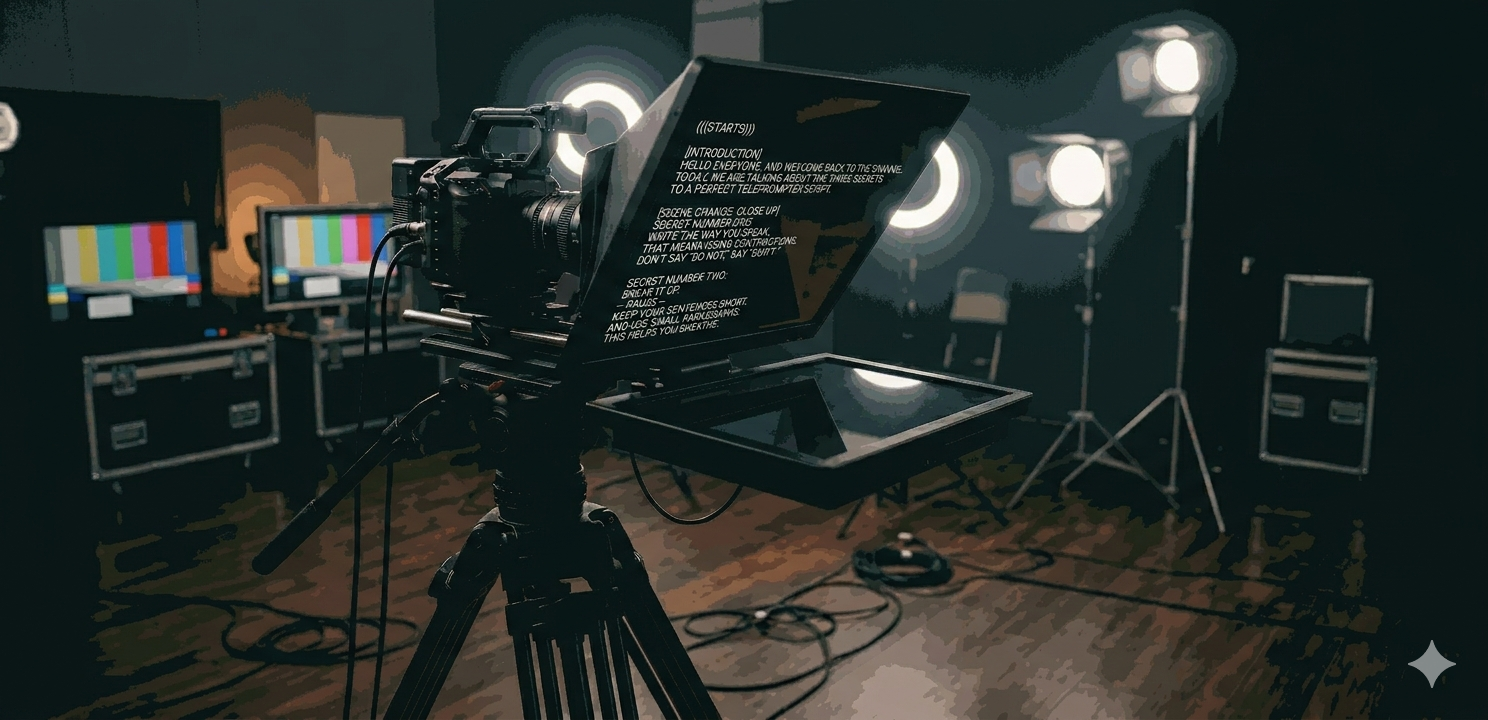
A short example using the format above:
(((STARTS)))
[INTRODUCTION]
HELLO EVERYONE, AND WELCOME BACK TO THE CHANNEL.
TODAY, WE ARE TALKING ABOUT THE THREE SECRETS
TO A PERFECT TELEPROMPTER SCRIPT.
[SCENE CHANGE: CLOSE UP]
SECRET NUMBER ONE:
WRITE THE WAY YOU SPEAK.
THAT MEANS USING CONTRACTIONS.
DON'T SAY "DO NOT," SAY "DON'T."
SECRET NUMBER TWO:
BREAK IT UP.
-- PAUSE --
KEEP YOUR SENTENCES SHORT.
AND USE SMALL PARAGRAPHS.
THIS HELPS YOU BREATHE.
[VISUAL CUE: SHOW GRAPHIC]
AND SECRET NUMBER THREE:
SPELL OUT NUMBERS.
LIKE ONE-HUNDRED.
INSTEAD OF 100.
IT PREVENTS STUMBLING.
[CONCLUSION]
SO, THERE YOU HAVE IT.
CONVERSATIONAL, SHORT, AND CLEAN.
THANKS FOR WATCHING.
(((ENDS)))
Walk through it before shoot day
This one makes more difference than people expect.
Whoever writes the script and whoever is reading it on camera should go through it together before the shoot. Read it out loud. Check that the pauses feel natural. Check that the emphasis markers match how the speaker actually talks. If something sounds written instead of spoken, fix it now.
More importantly, this is the moment for the speaker to flag anything that doesn’t feel right. Not on set. Not fifteen minutes before rolling. During prep, when there’s actually time to update the script, get approvals, and re-export cleanly without a crew standing around.
Ten minutes of prep saves an hour on set. It also means your speaker walks in confident. And that shows up on camera.
If you’re prepping for a shoot with us and want help formatting your teleprompter script, schedule a quick call here. We’re happy to help you set things up the right way before shoot day.
If you’re also trying to plan budget or scope, it helps to understand how production decisions affect cost. We break down video production costs in San Francisco in more detail here.

